Post Analysis Tools - Live

Published on Wed, 17 Jun 2026

Learn how to use advanced analysis tools to review performance after capture.
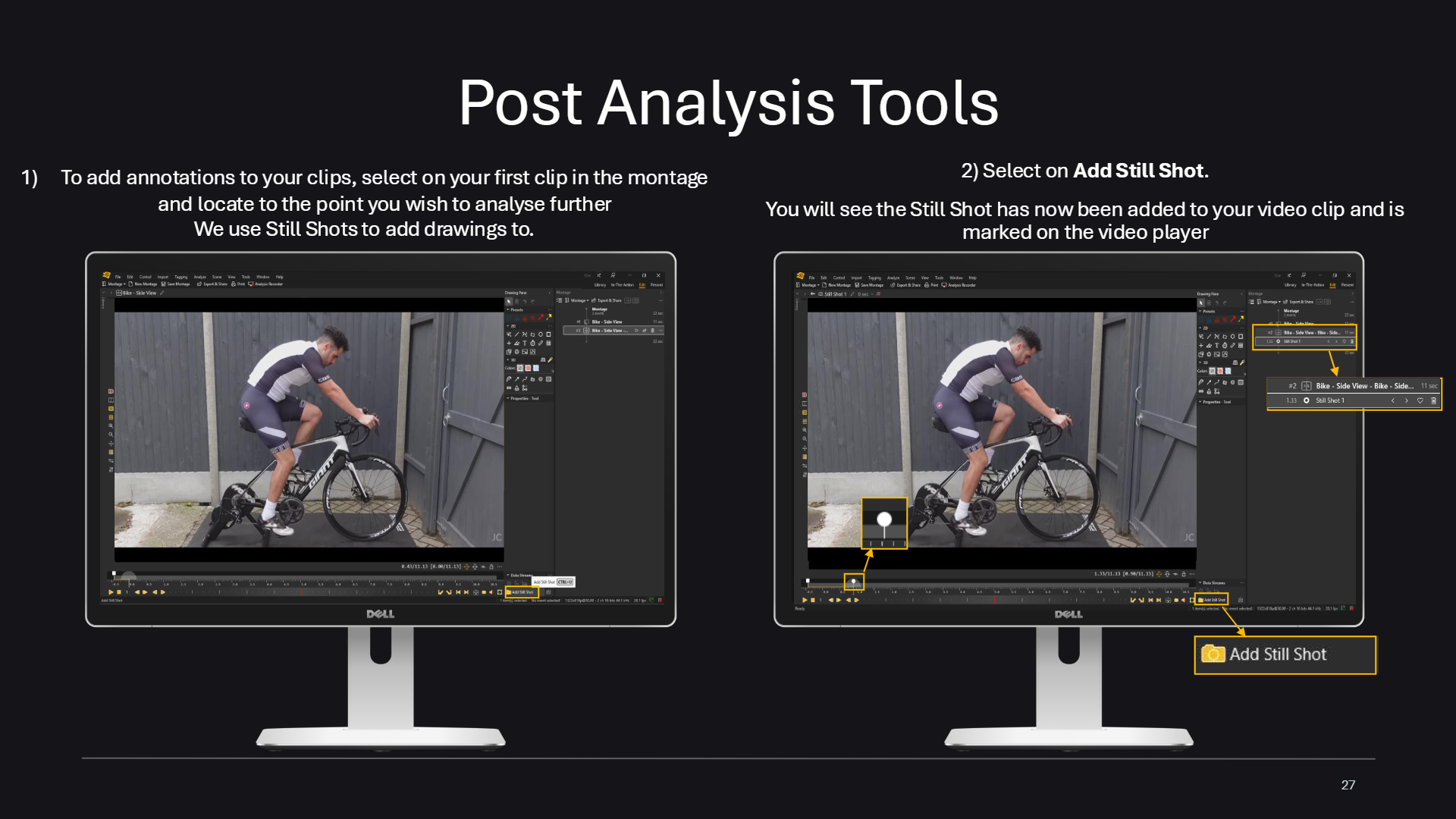
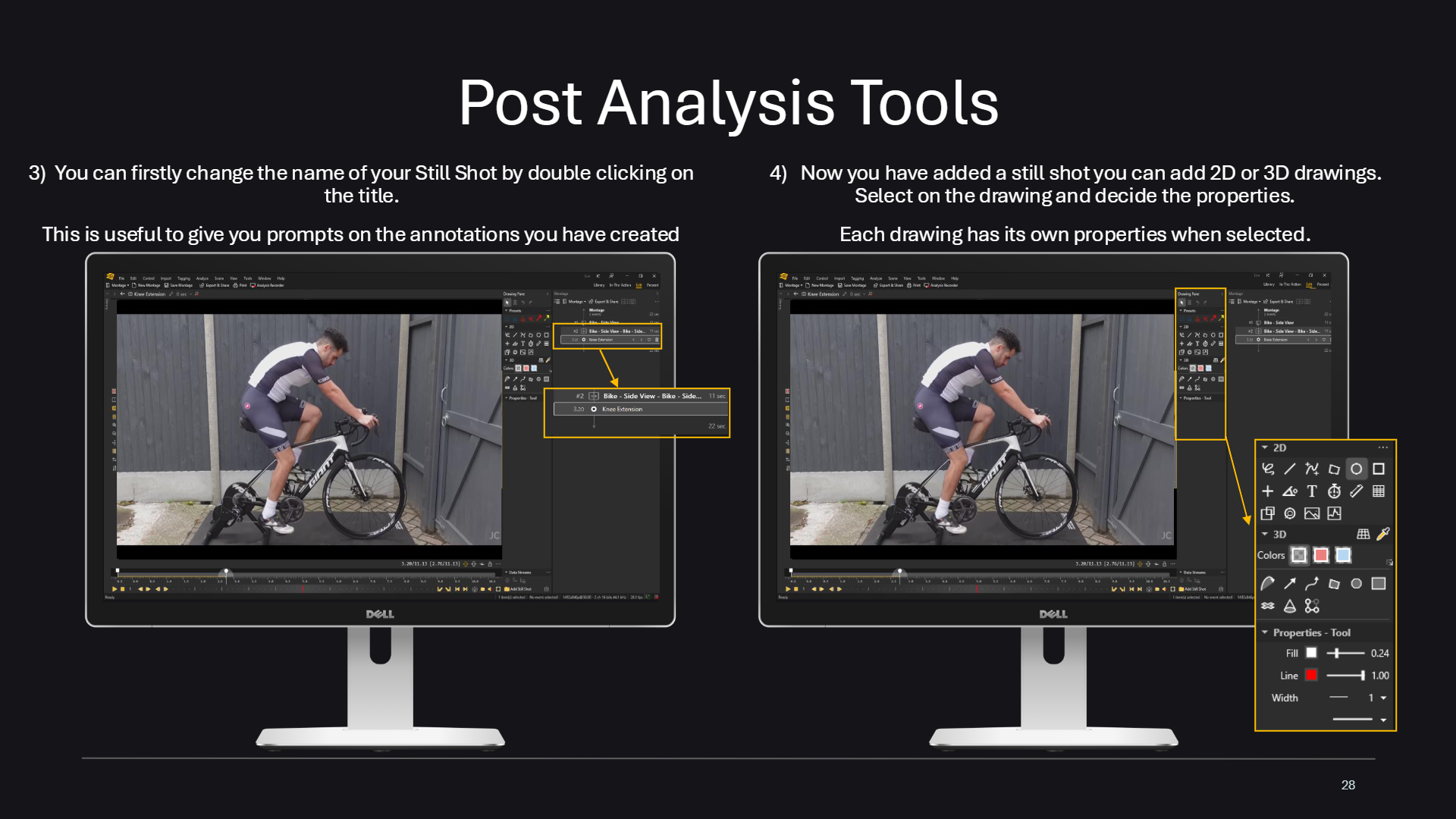
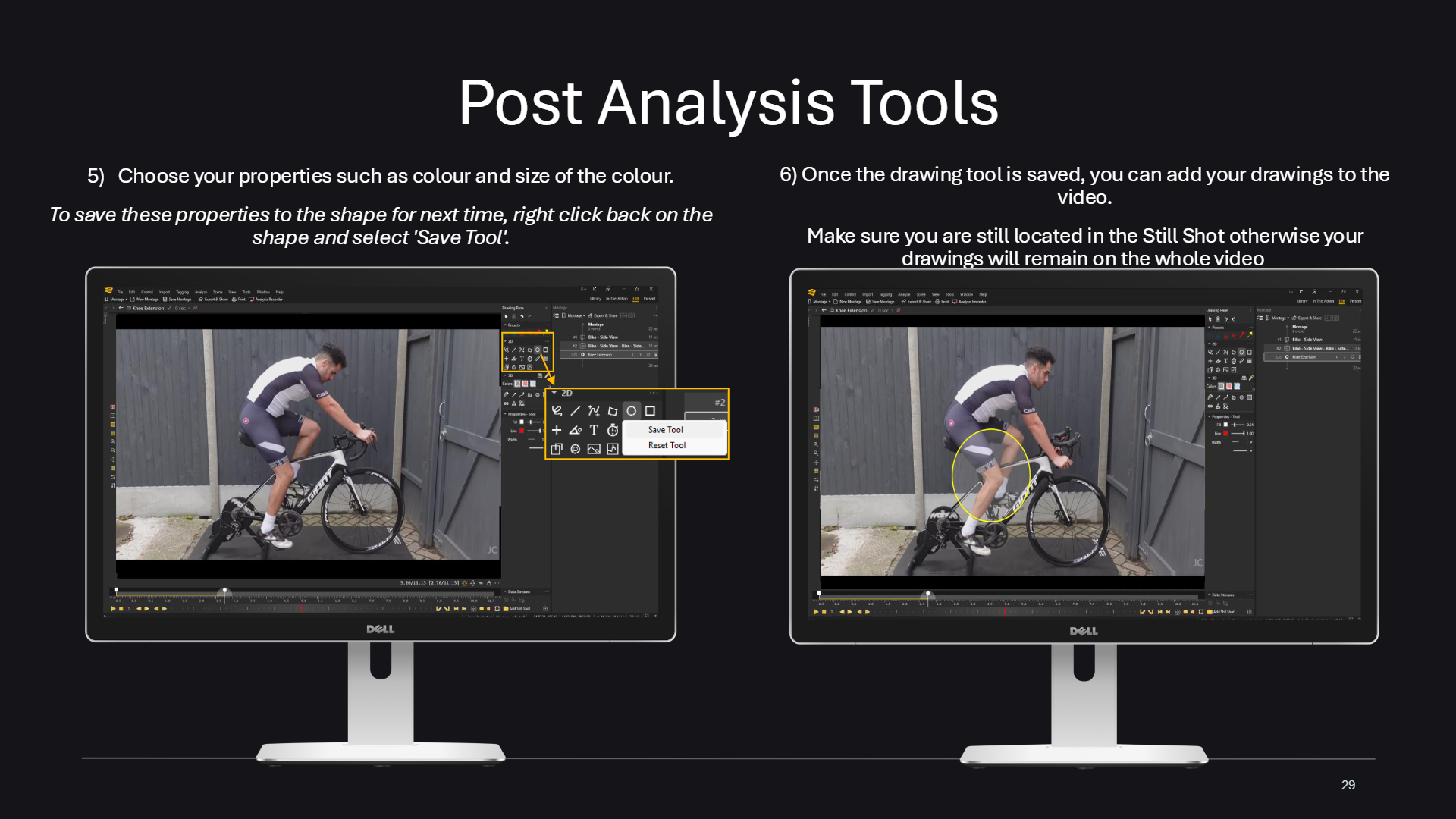
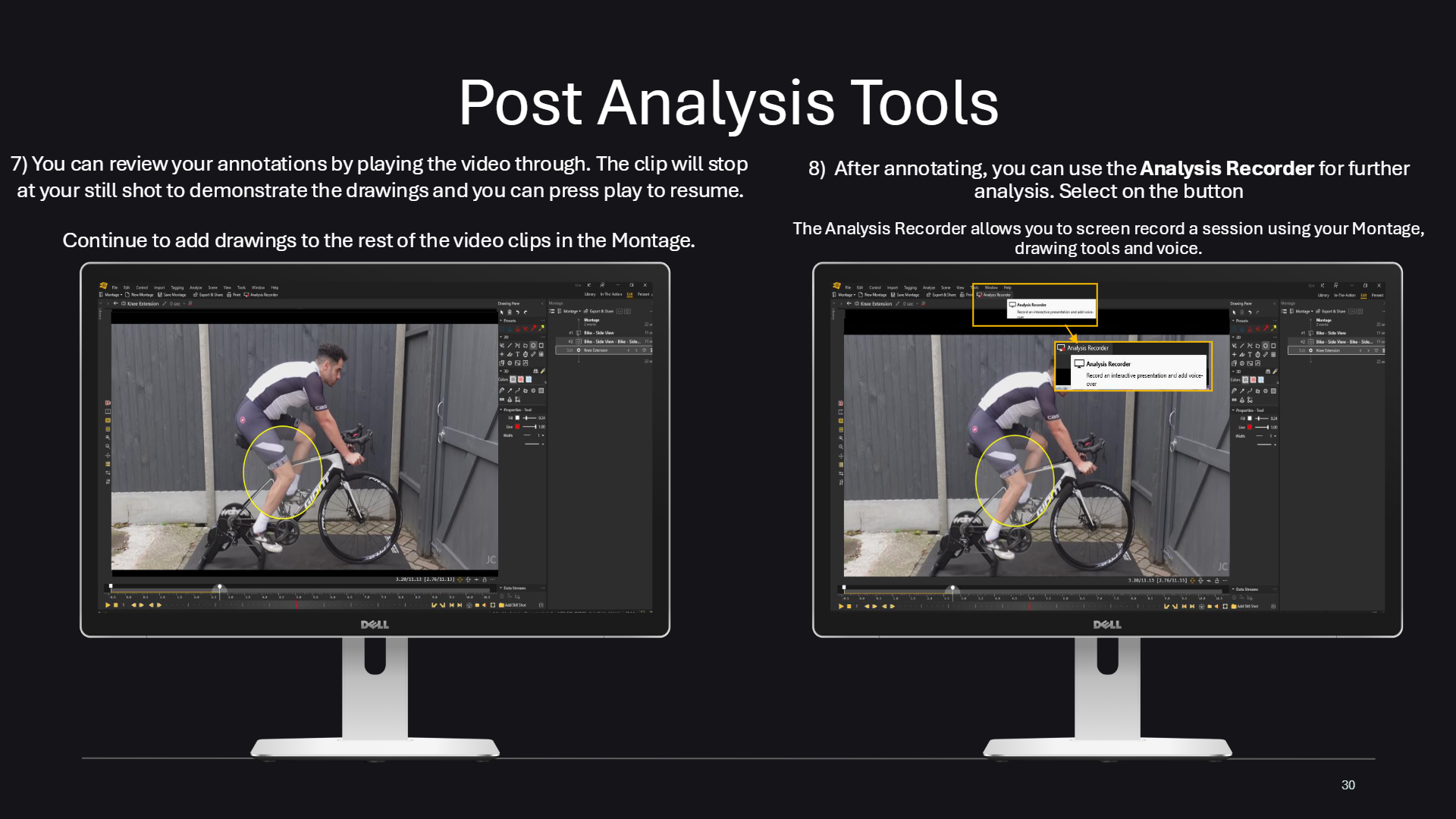
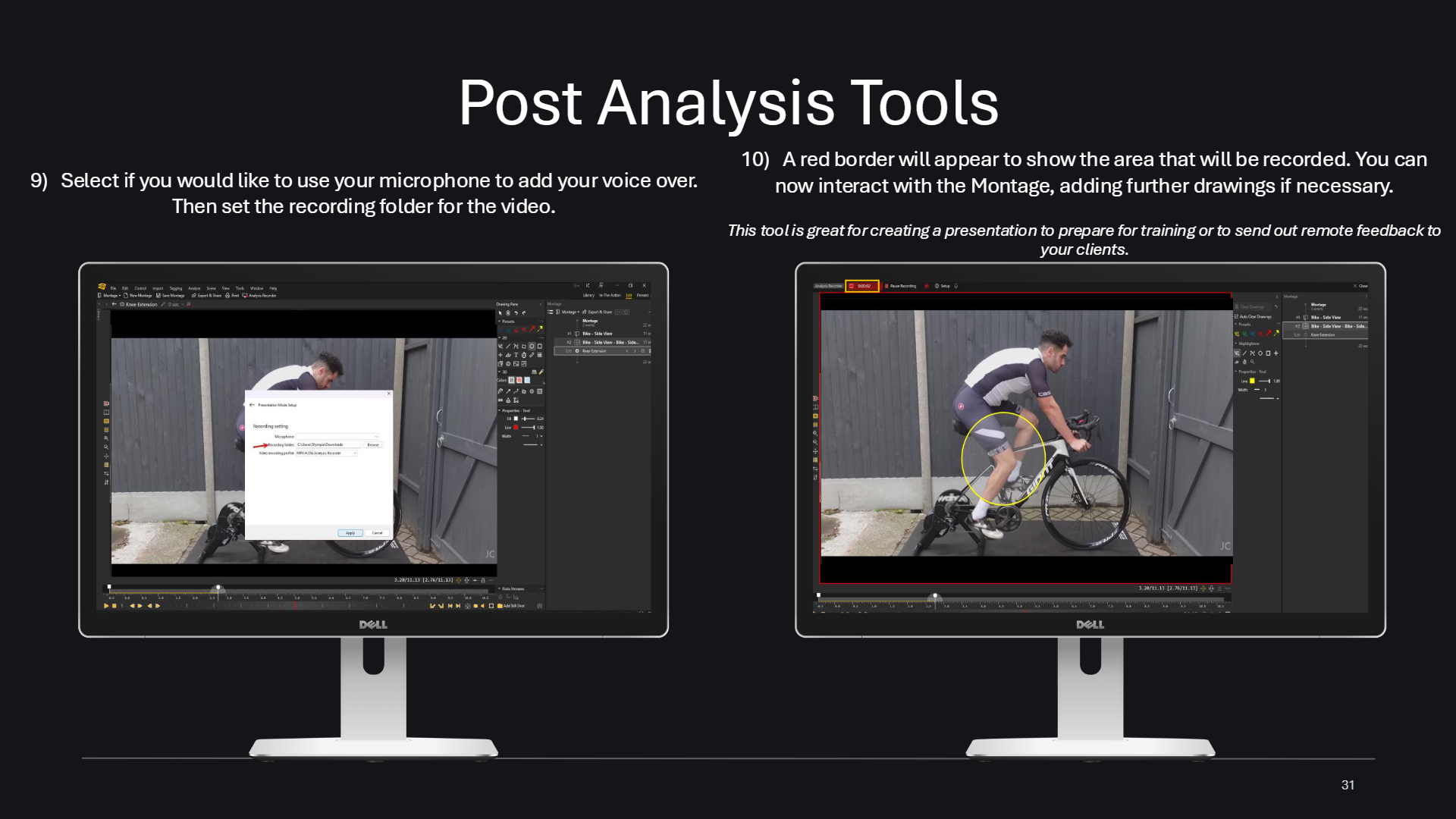
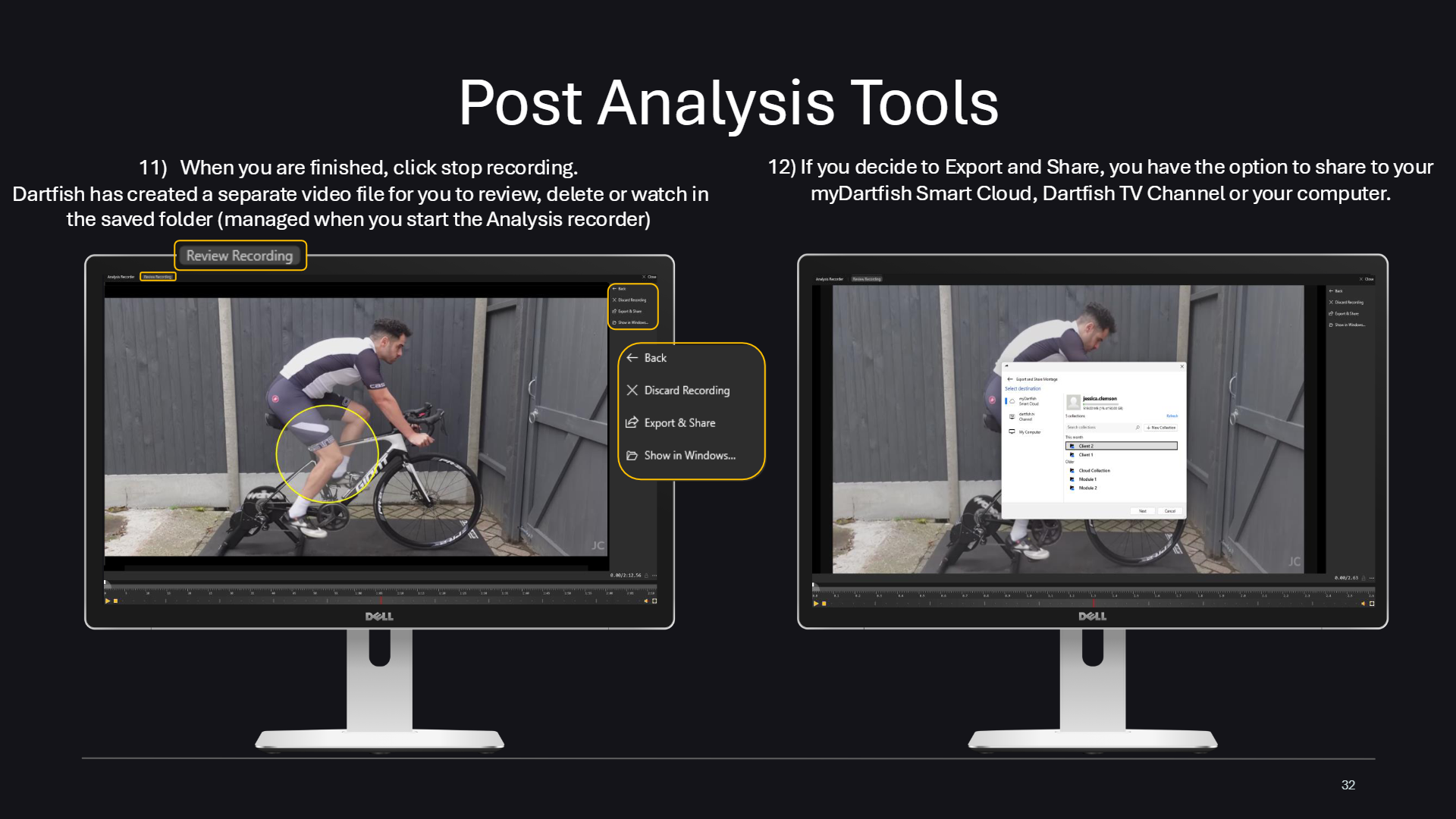
Post Analysis Tools – titleSteps 1 and 2: select a clip in the montage, go to the moment to analyse and add a Still ShotSteps 3 and 4: rename the Still Shot and add 2D or 3D drawingsSteps 5 and 6: choose drawing properties such as colour and size, then add drawings to the videoSteps 7 and 8: review annotations by playing the clip, then open the Analysis RecorderSteps 9 and 10: choose microphone and recording folder, then record inside the red borderSteps 11 and 12: stop recording, then export and share to myDartfish Smart Cloud, Dartfish TV or your computer

Was this article helpful?

That’s Great!

Thank you for your feedback

Sorry! We couldn't be helpful

Thank you for your feedback

Let us know how can we improve this article!

Select at least one of the reasons
CAPTCHA verification is required.

Feedback sent

We appreciate your effort and will try to fix the article