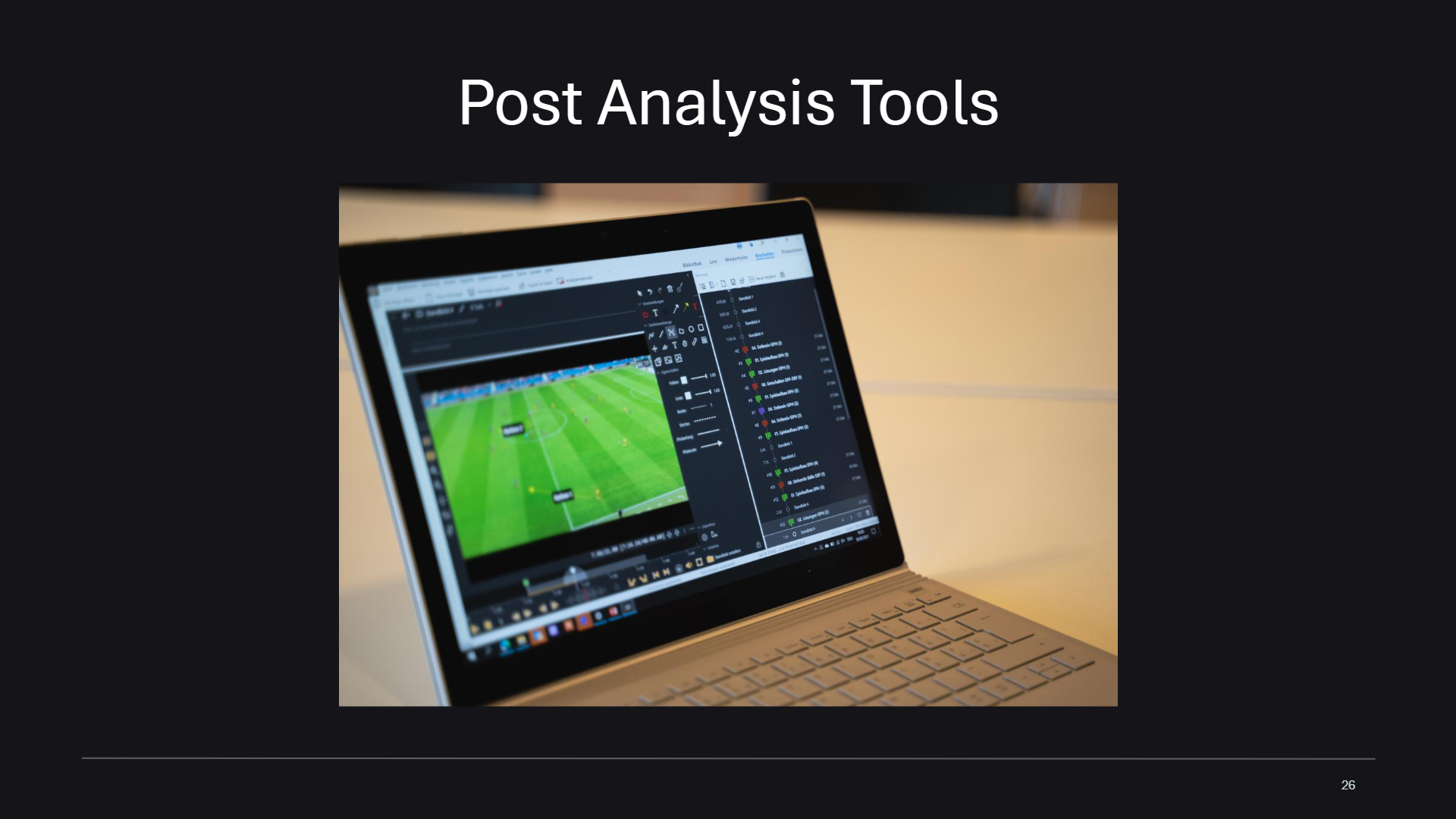
Learn how to use advanced analysis tools to evaluate performance after capture.
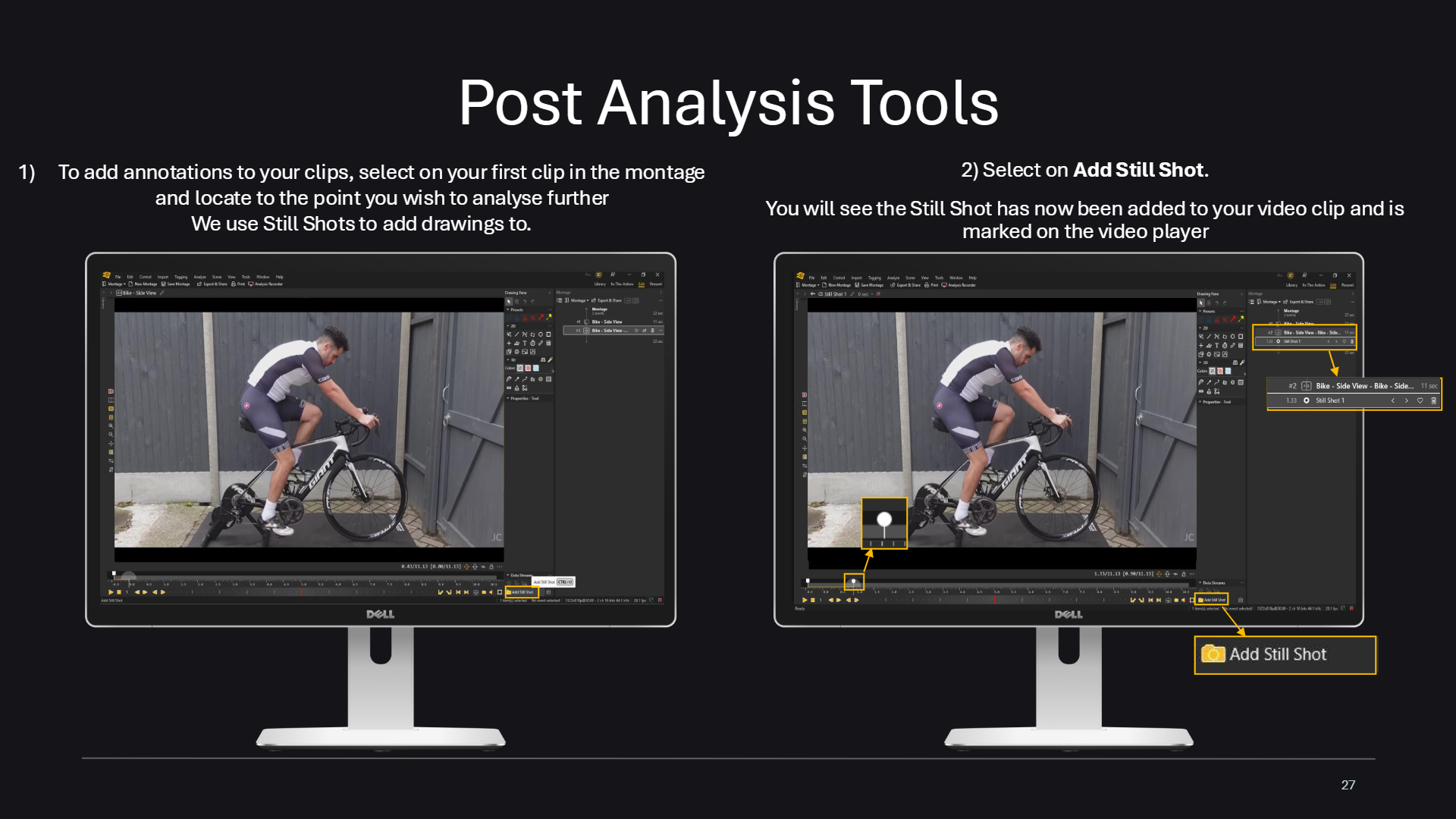
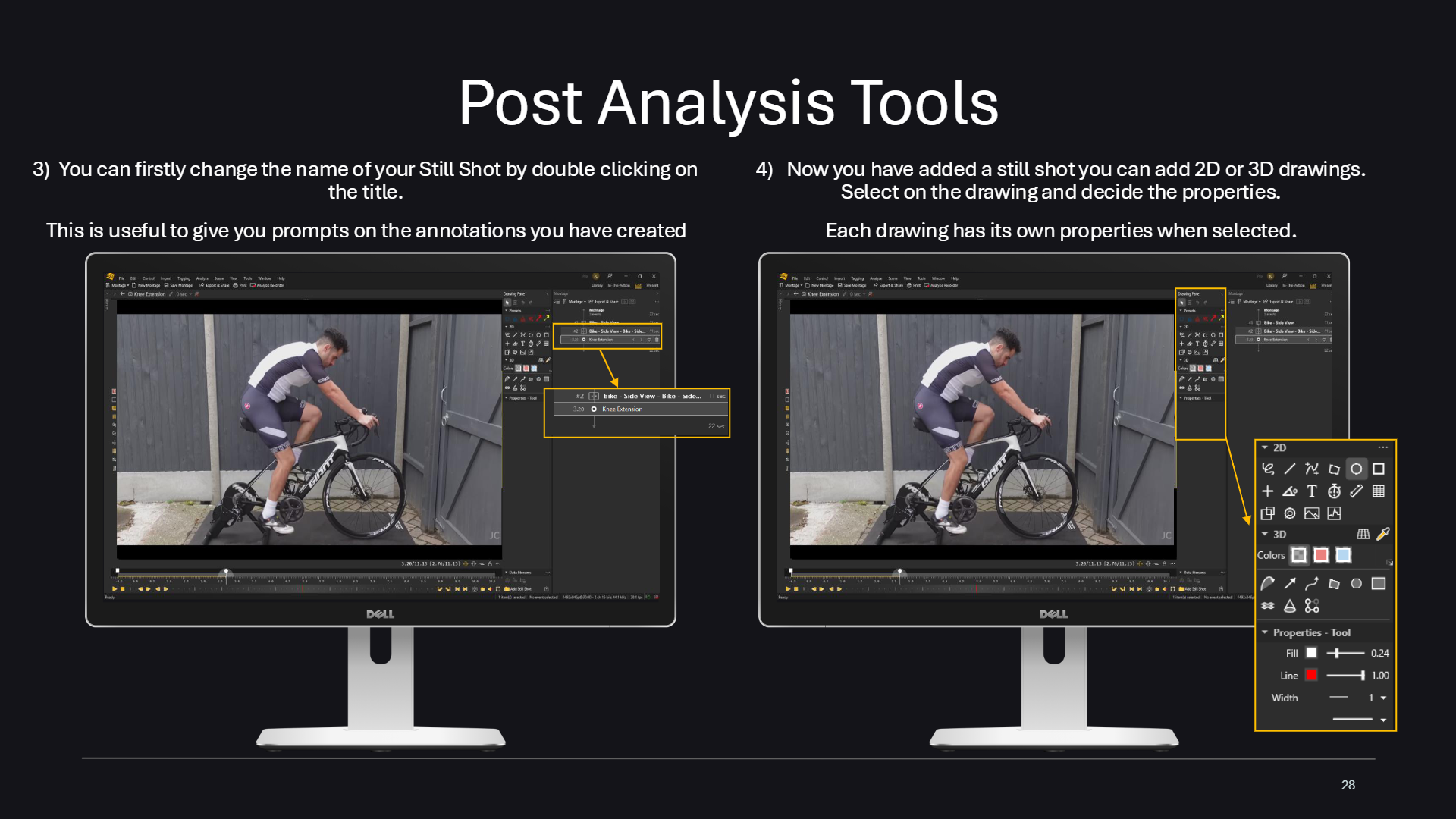
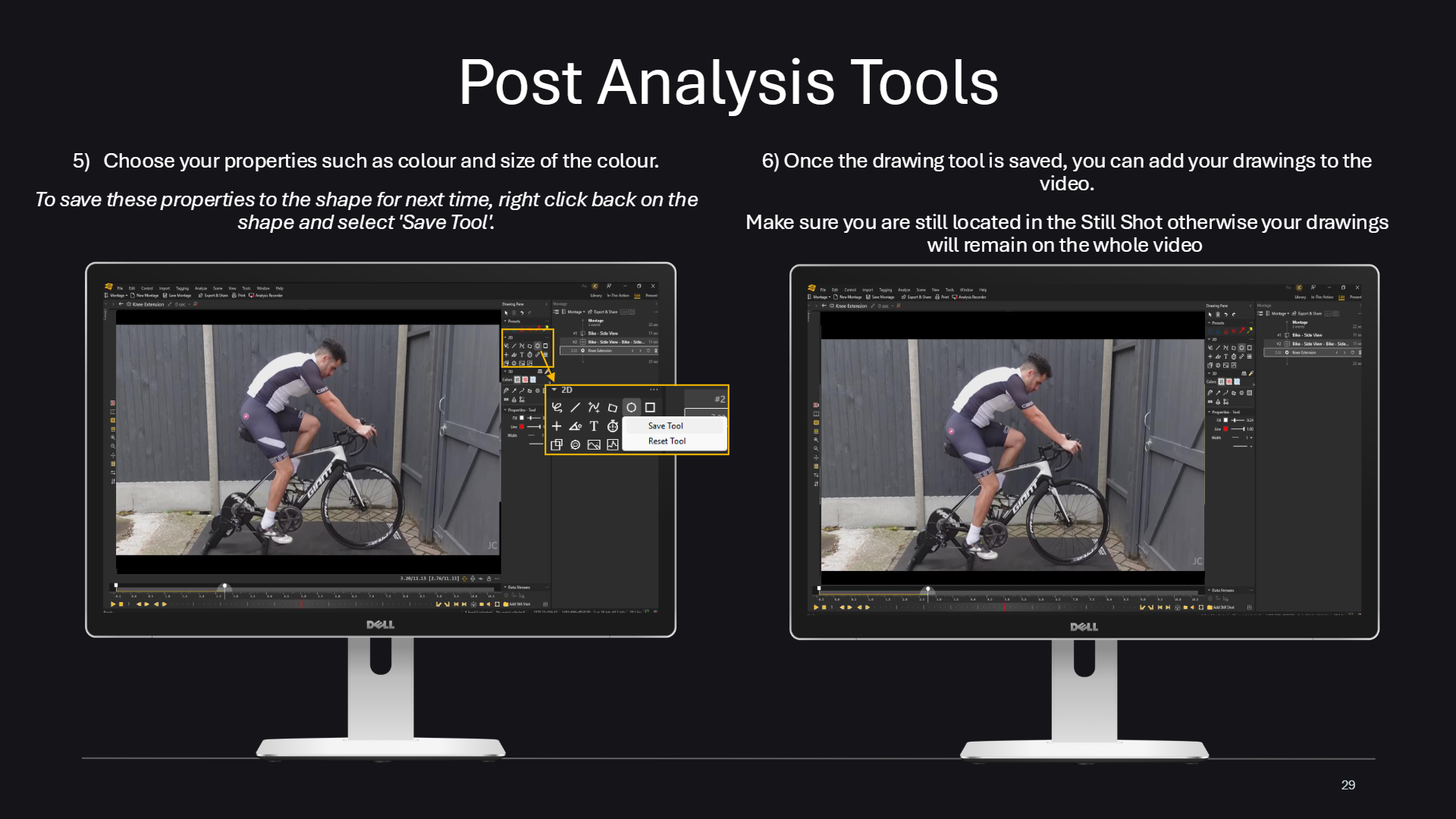
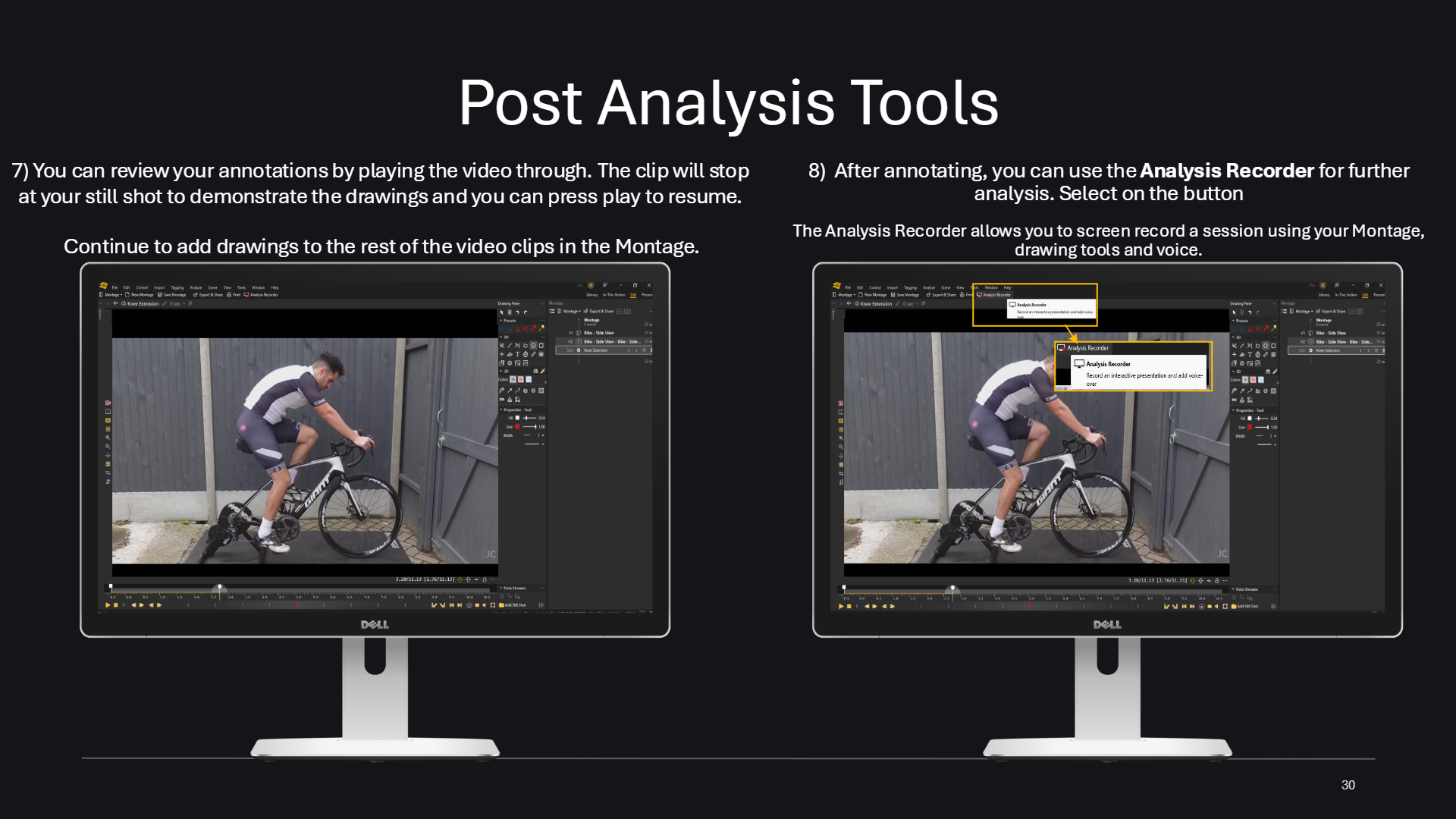
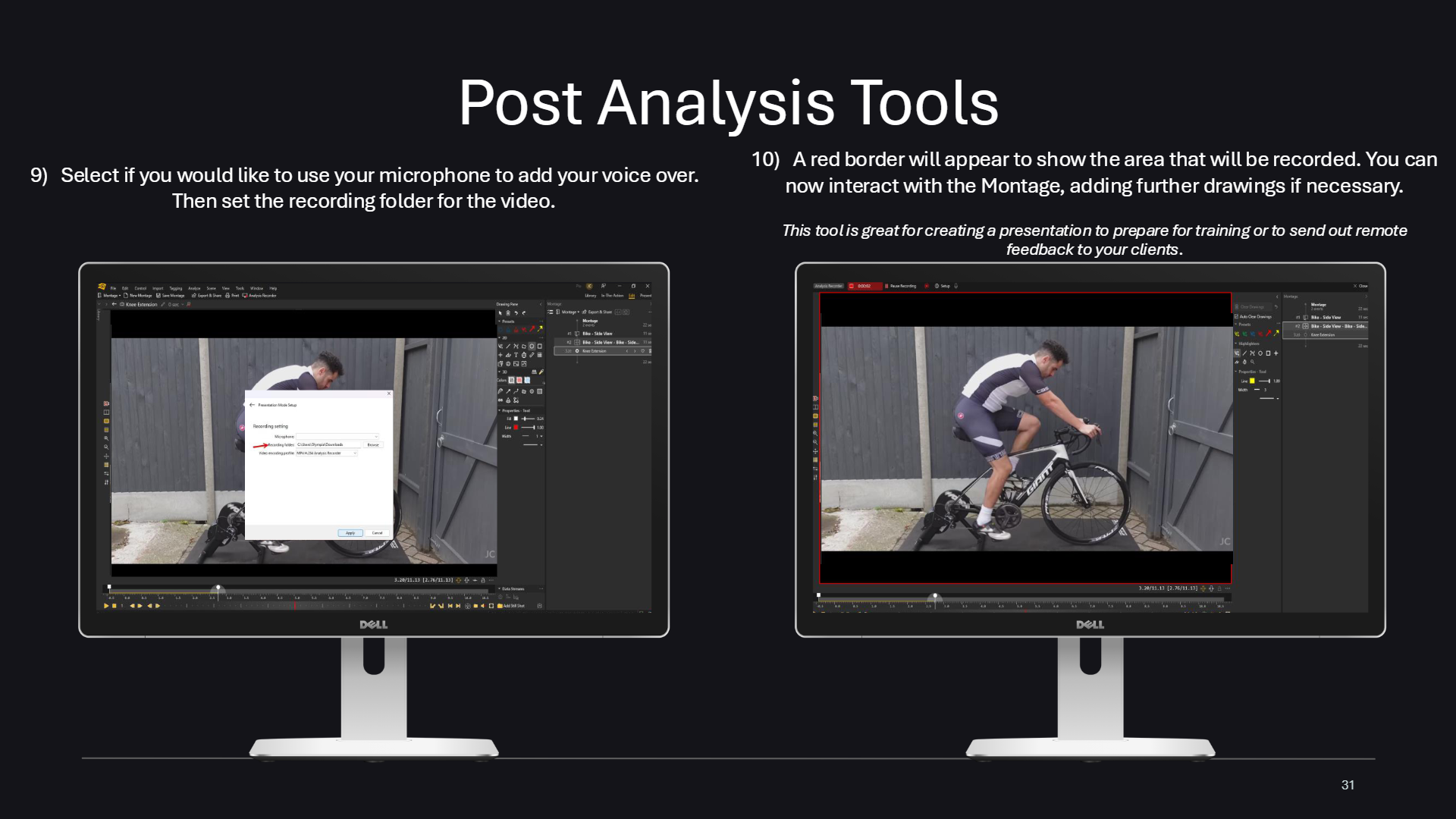
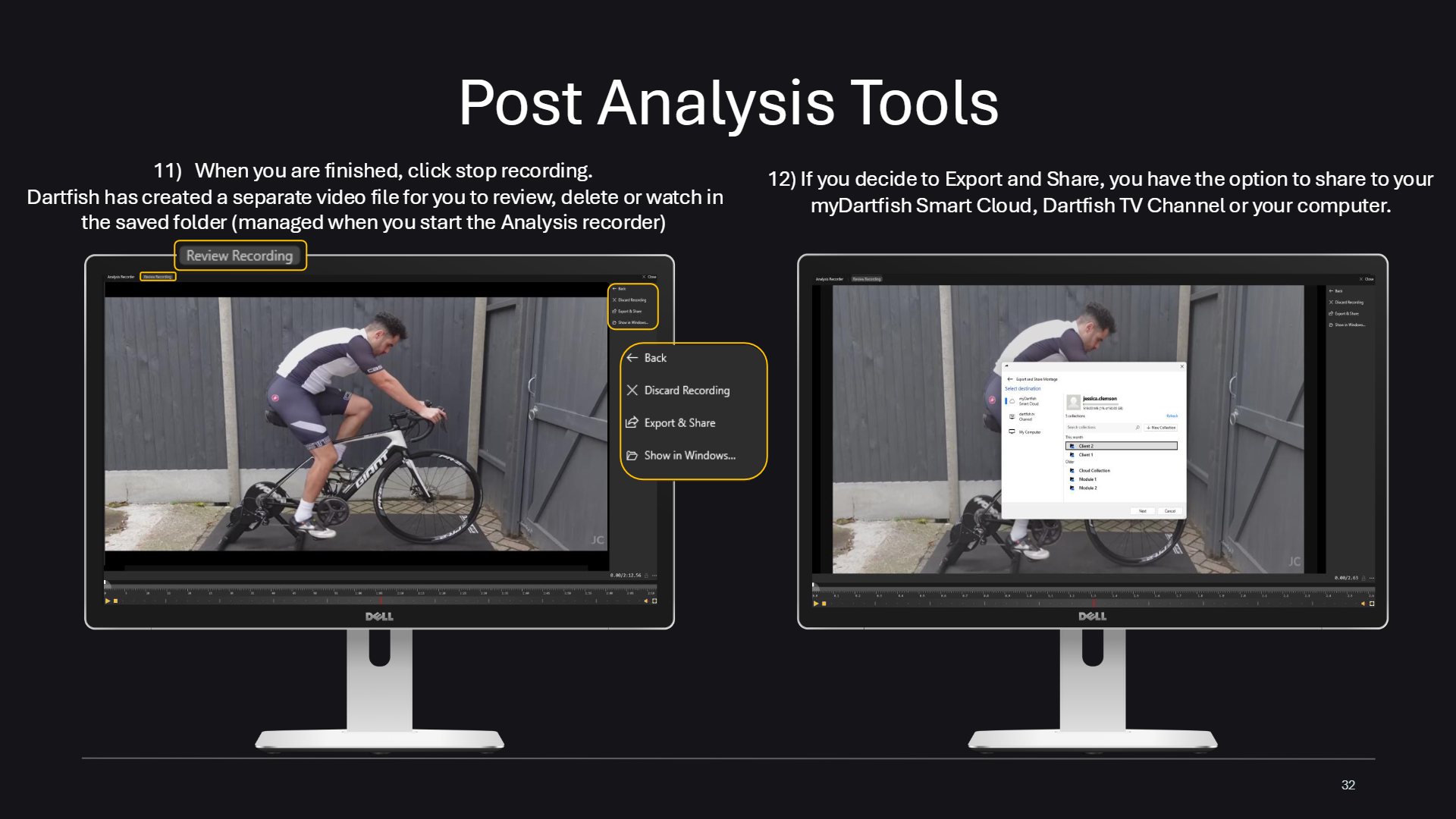
Post Analysis Tools – titleSteps 1 and 2: select a clip in the montage, go to the moment to analyse and add a Still ShotSteps 3 and 4: rename the Still Shot and add 2D or 3D drawingsSteps 5 and 6: choose drawing properties such as colour and size, then add drawings to the videoSteps 7 and 8: review annotations by playing the clip, then open the Analysis RecorderSteps 9 and 10: choose microphone and recording folder, then record inside the red borderSteps 11 and 12: stop recording, then export and share to myDartfish Smart Cloud, Dartfish TV or your computer