Tagging Panel Editor

Published on Tue, 23 Jun 2026

Learn how to use the Tagging Panel Editor to build, customise, and organise your analysis workflow.
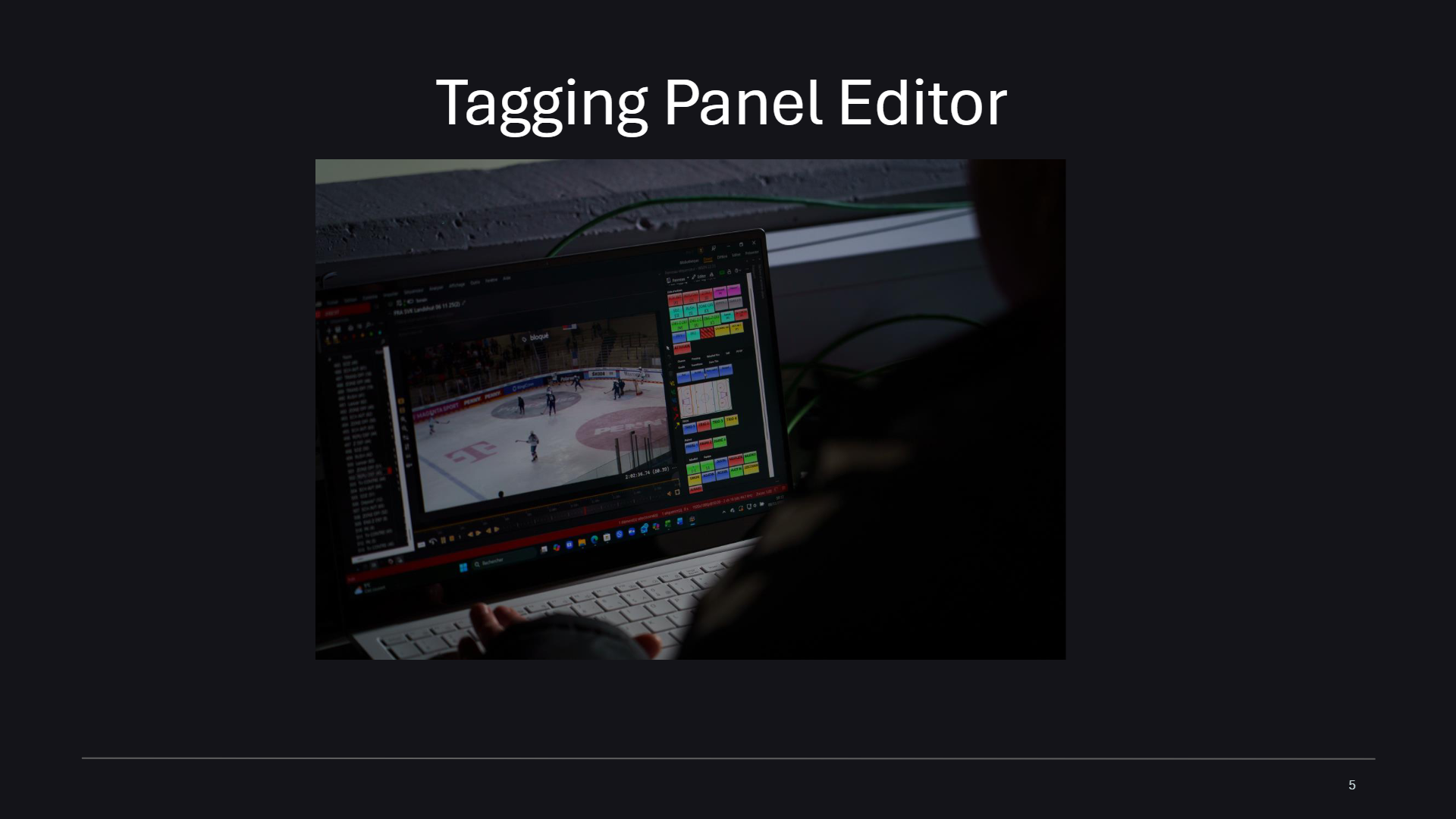
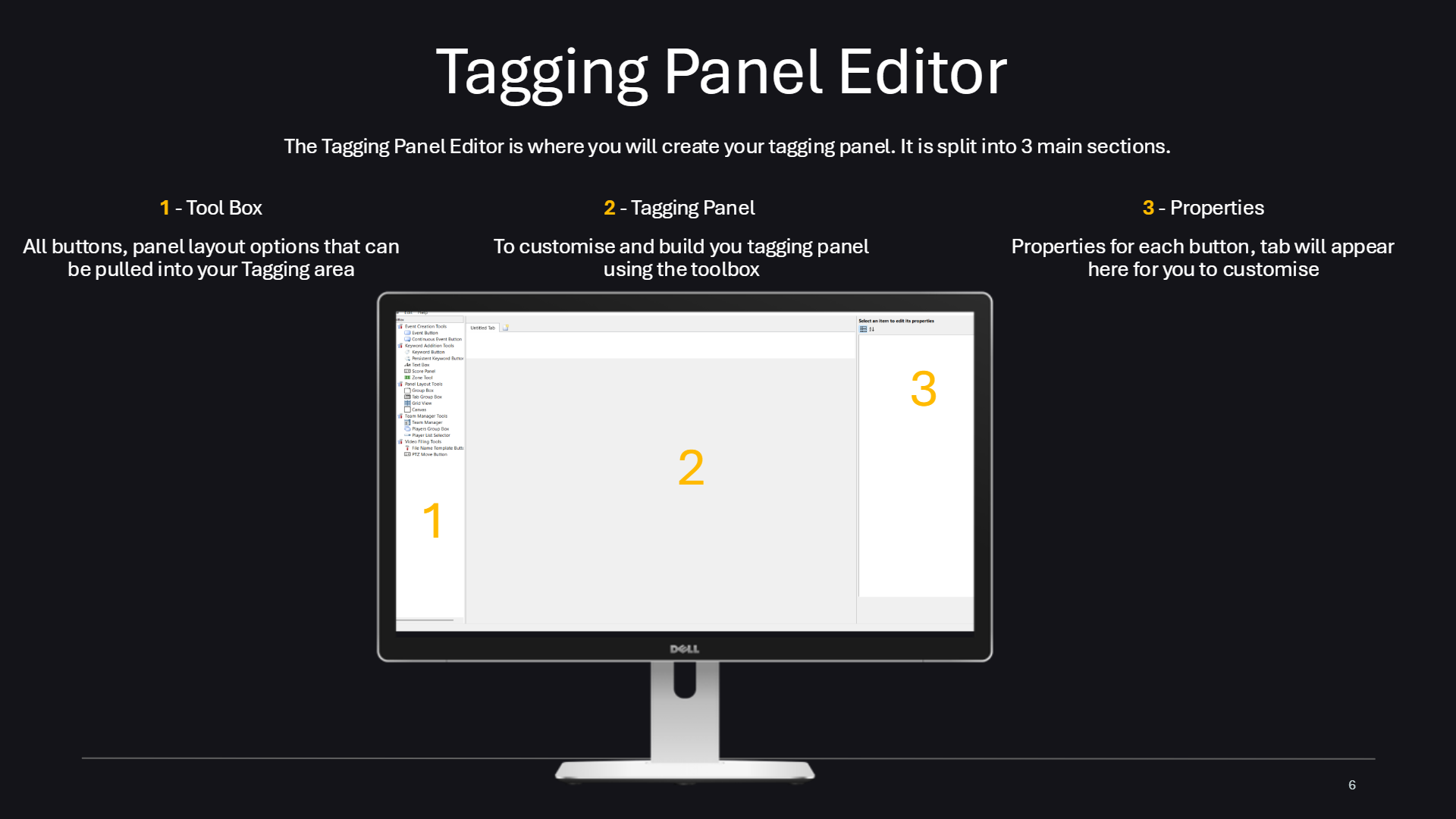
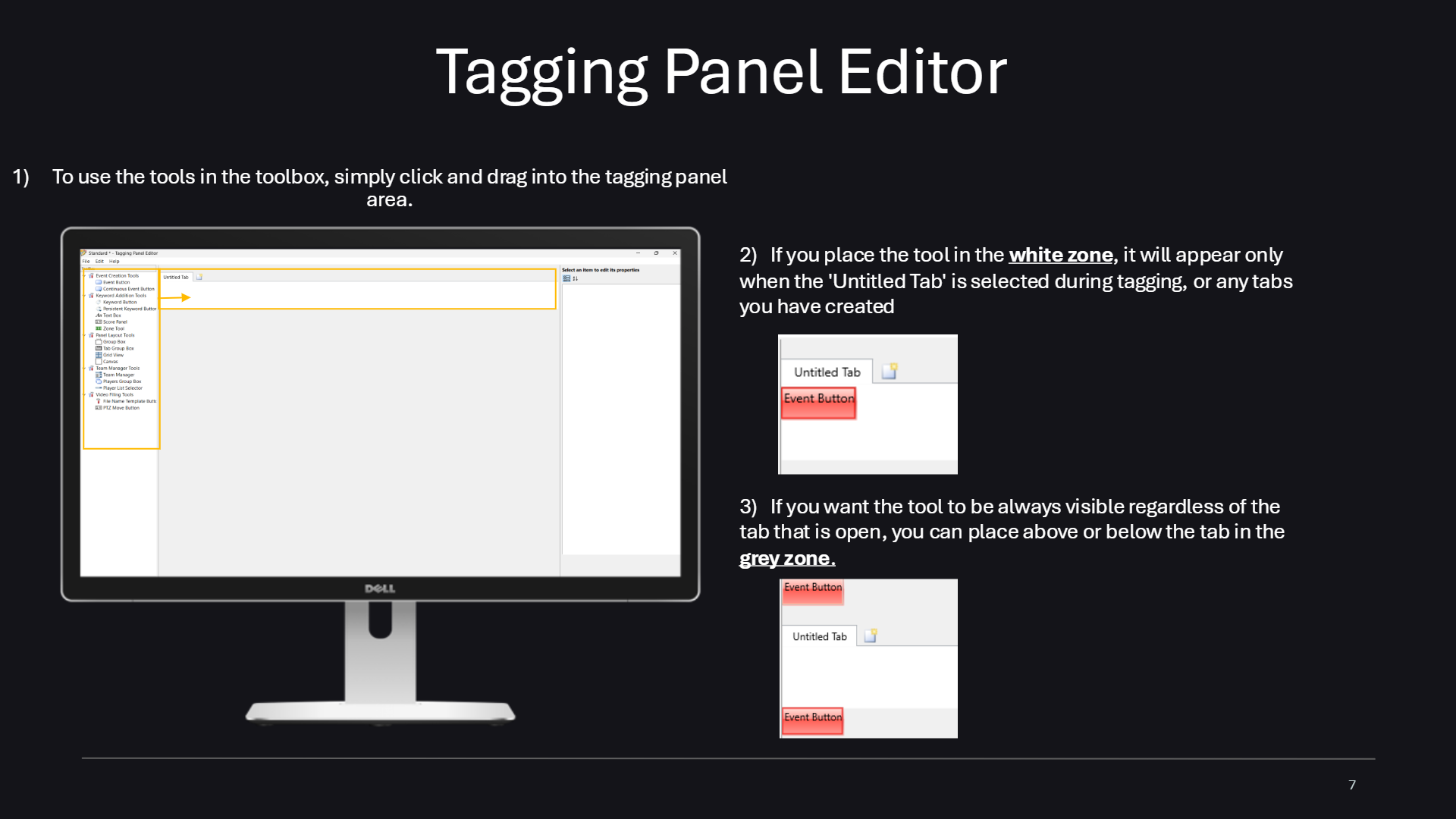
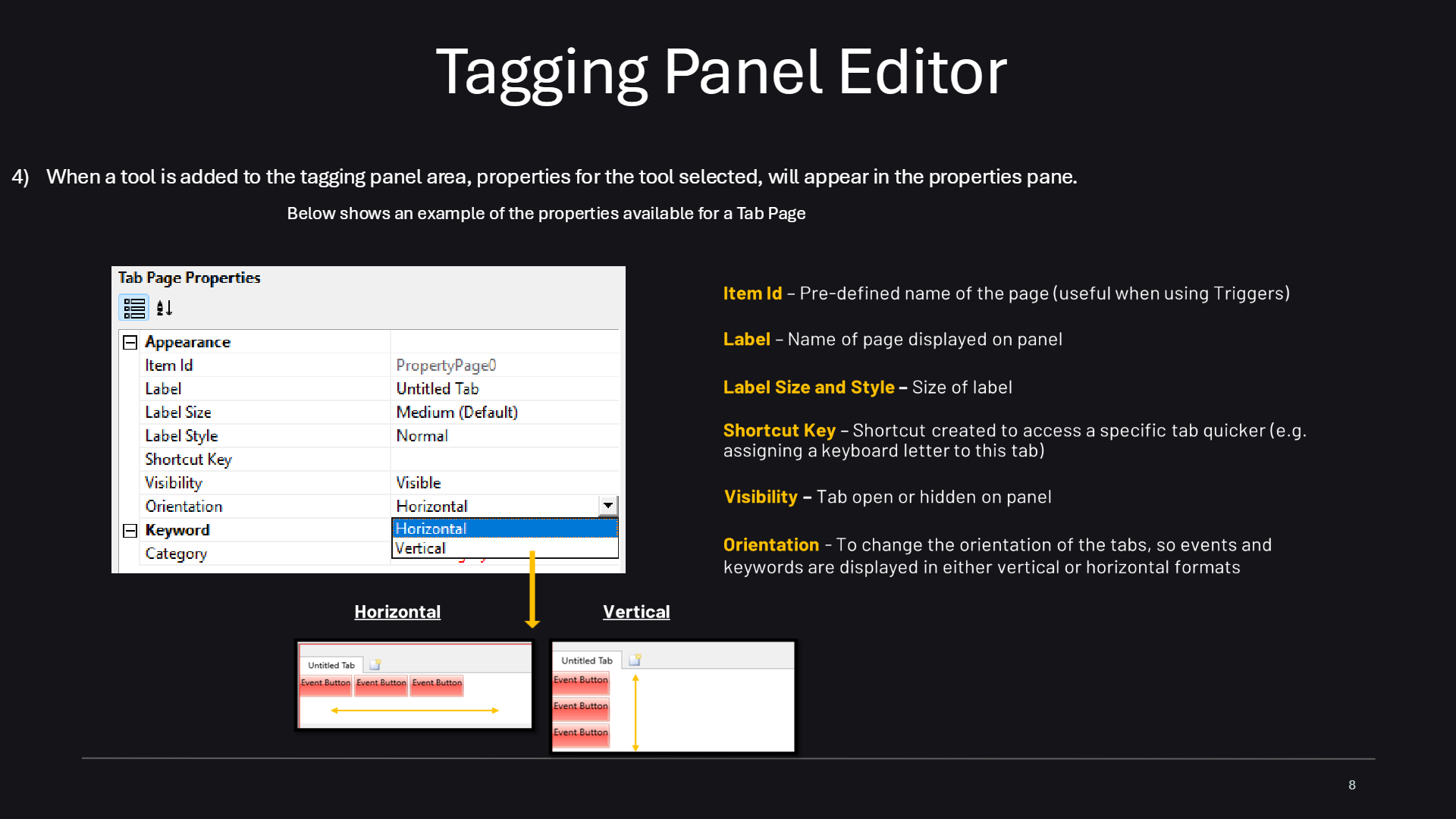
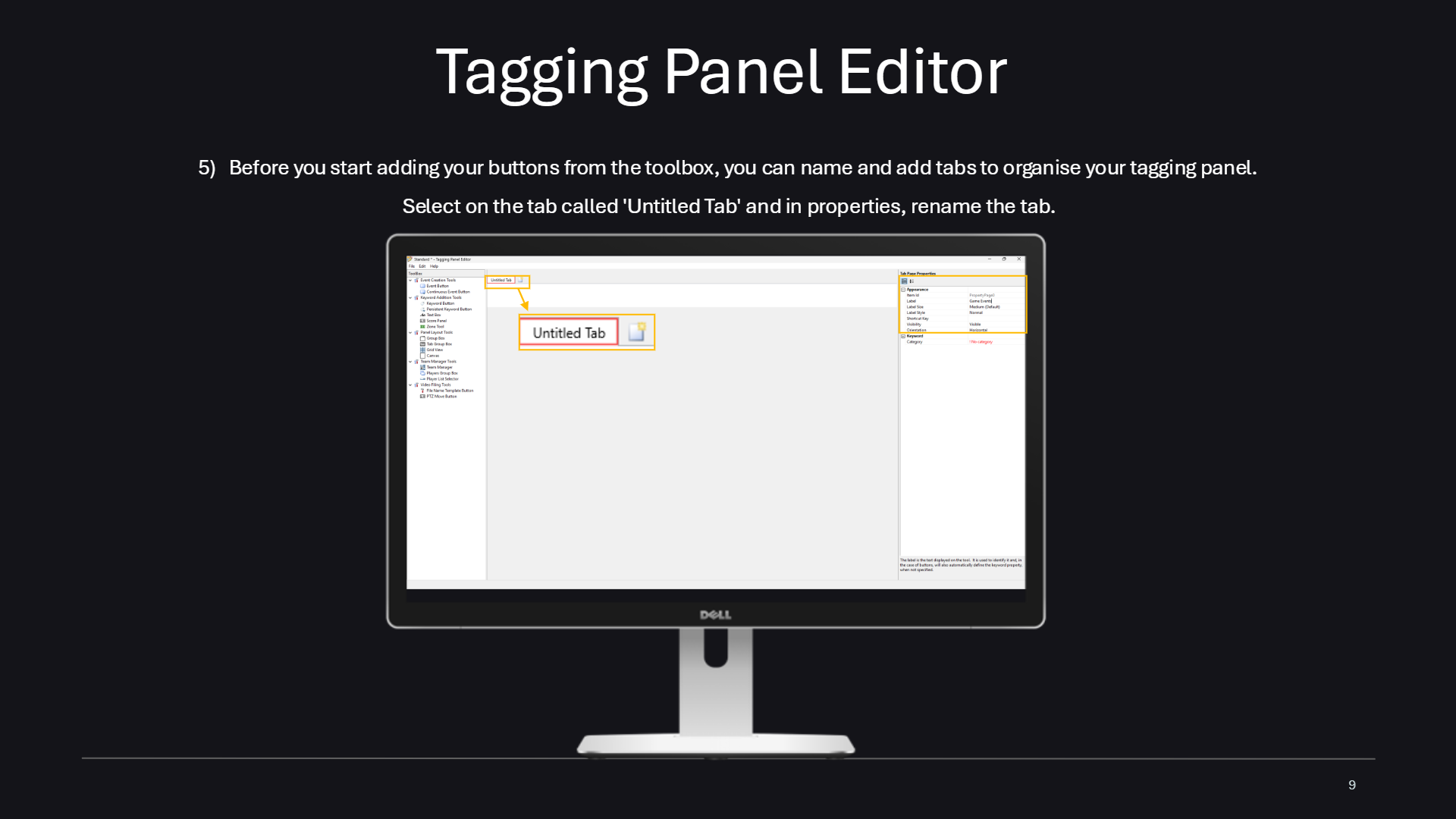
Tagging Panel Editor – titleThe Tagging Panel Editor has 3 main sections: 1 Tool Box, 2 Tagging Panel area, 3 Properties paneSteps 1 to 3: drag tools from the toolbox into the tagging panel areaStep 4: when a tool is added, its properties appear in the Properties paneStep 5: before adding buttons, name and add tabs to organise your tagging panel

Was this article helpful?

That’s Great!

Thank you for your feedback

Sorry! We couldn't be helpful

Thank you for your feedback

Let us know how can we improve this article!

Select at least one of the reasons
CAPTCHA verification is required.

Feedback sent

We appreciate your effort and will try to fix the article