Learn how to integrate a team database to streamline player and participant identification.
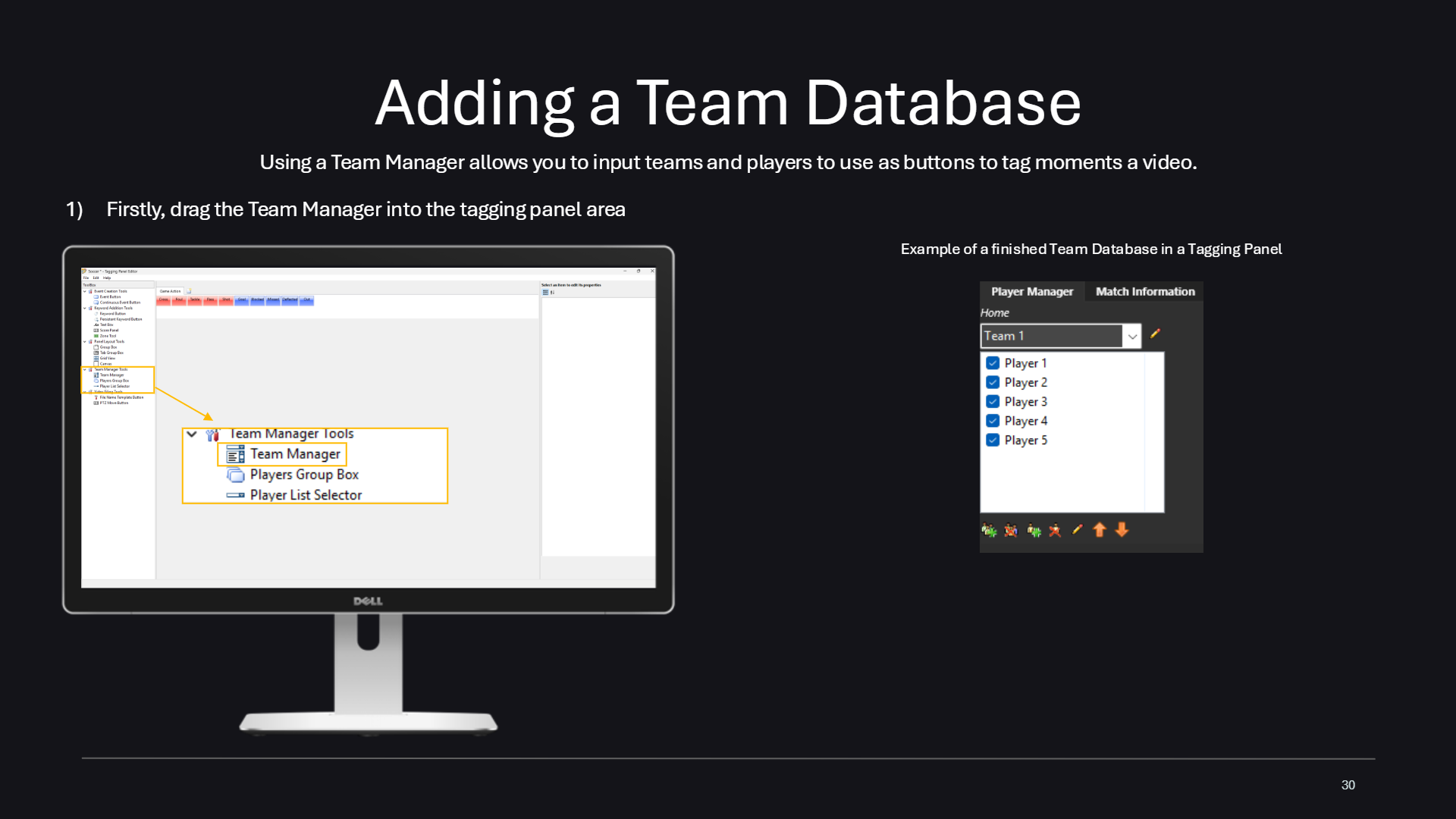
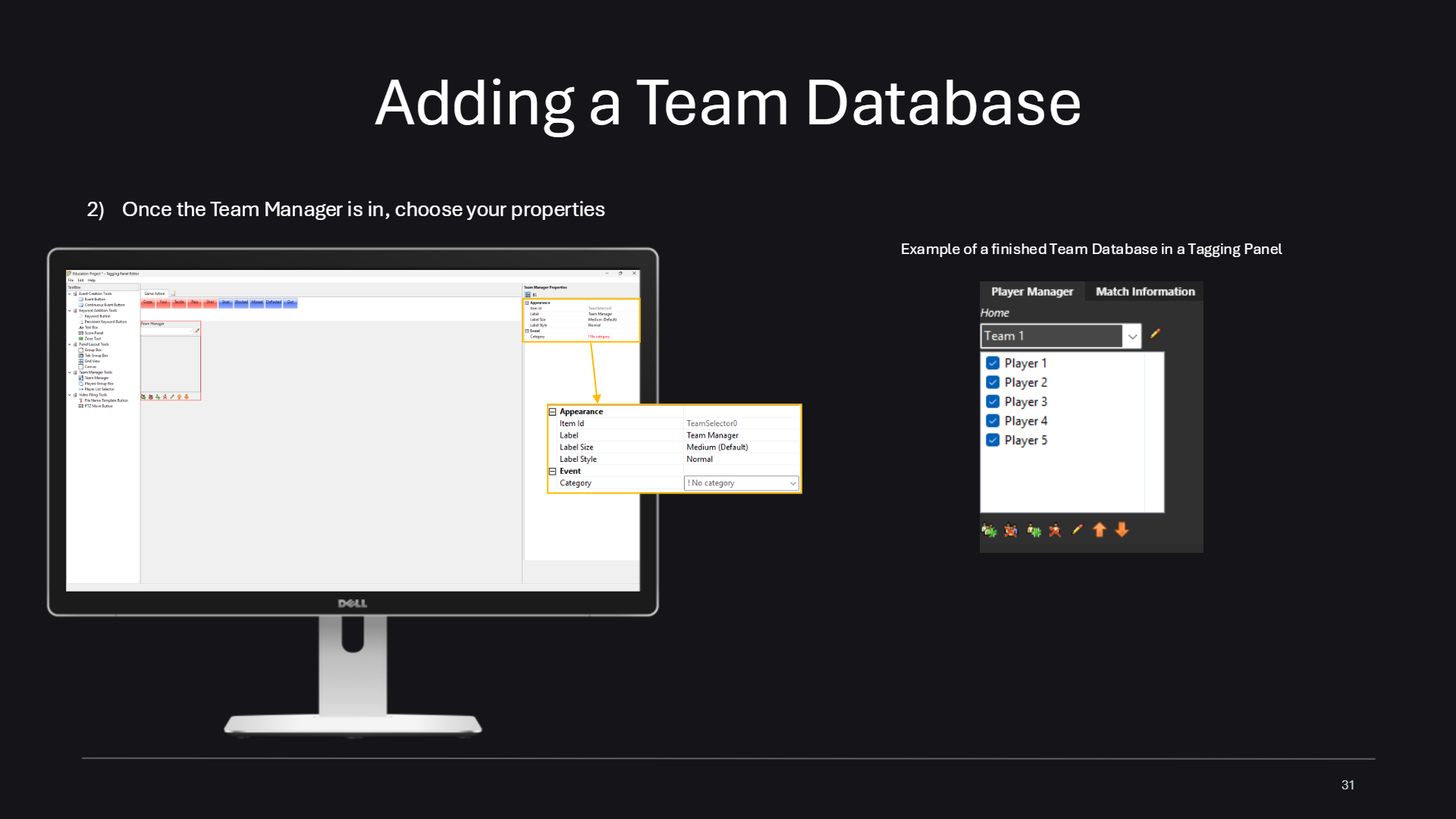
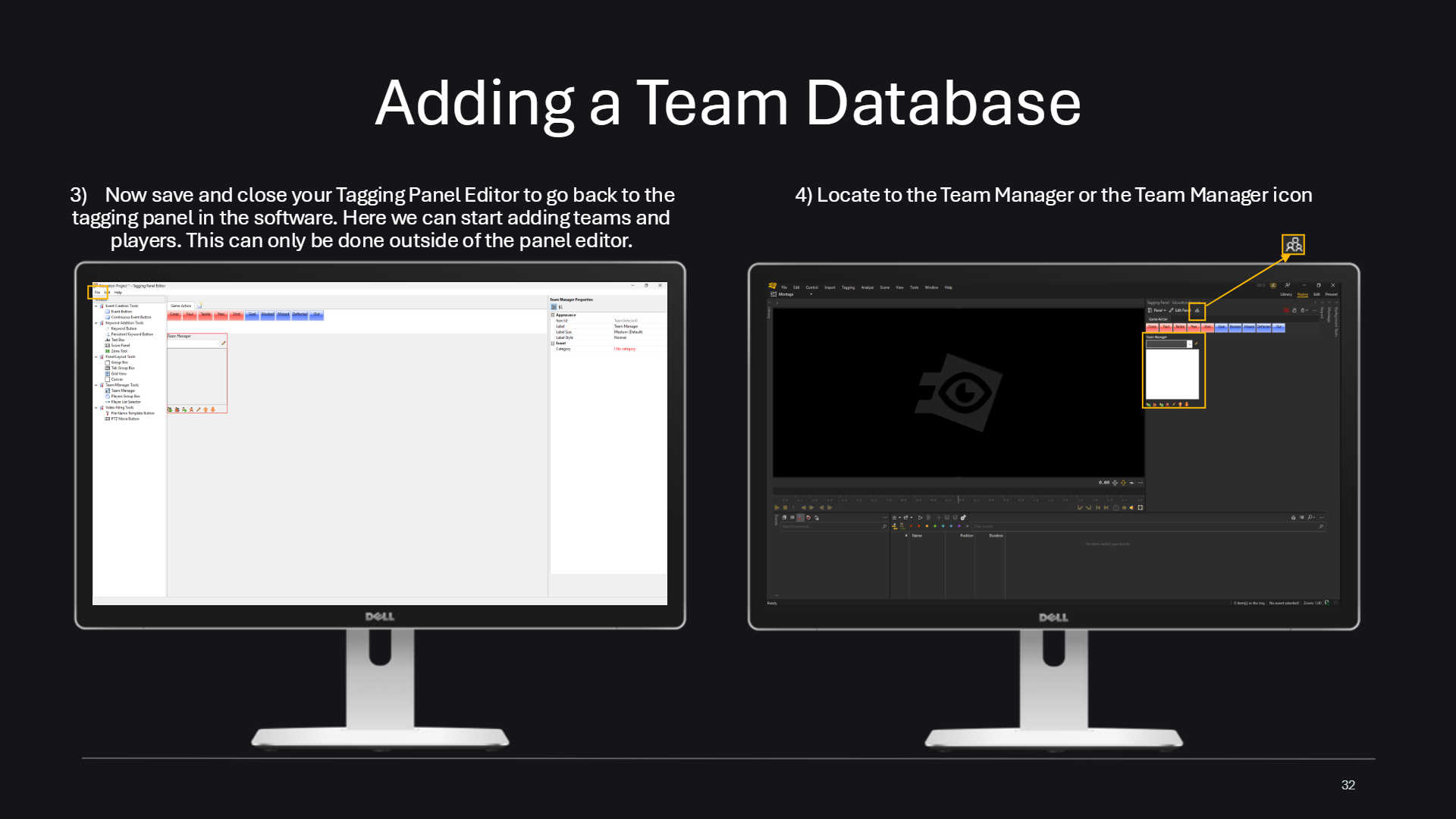
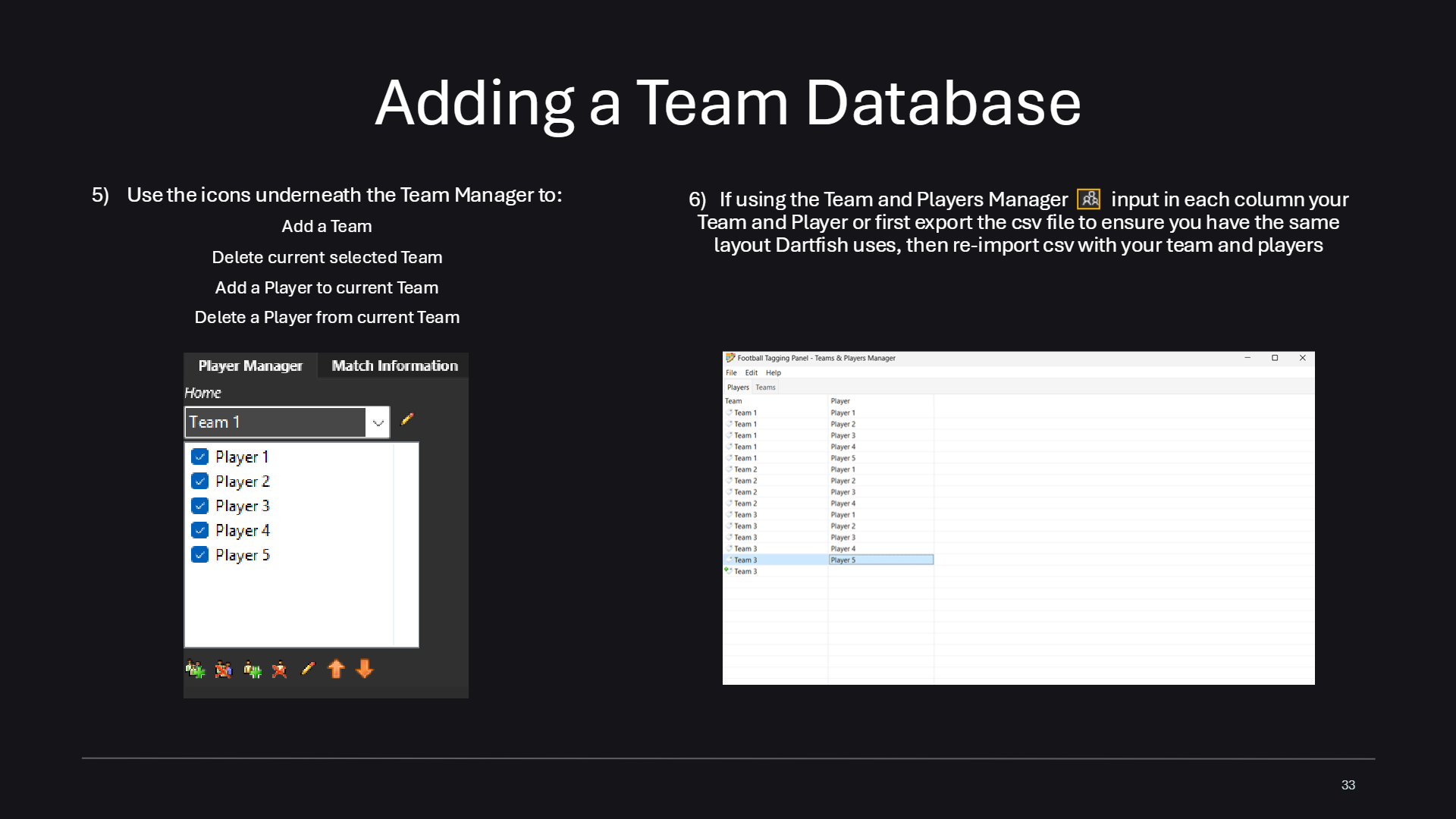
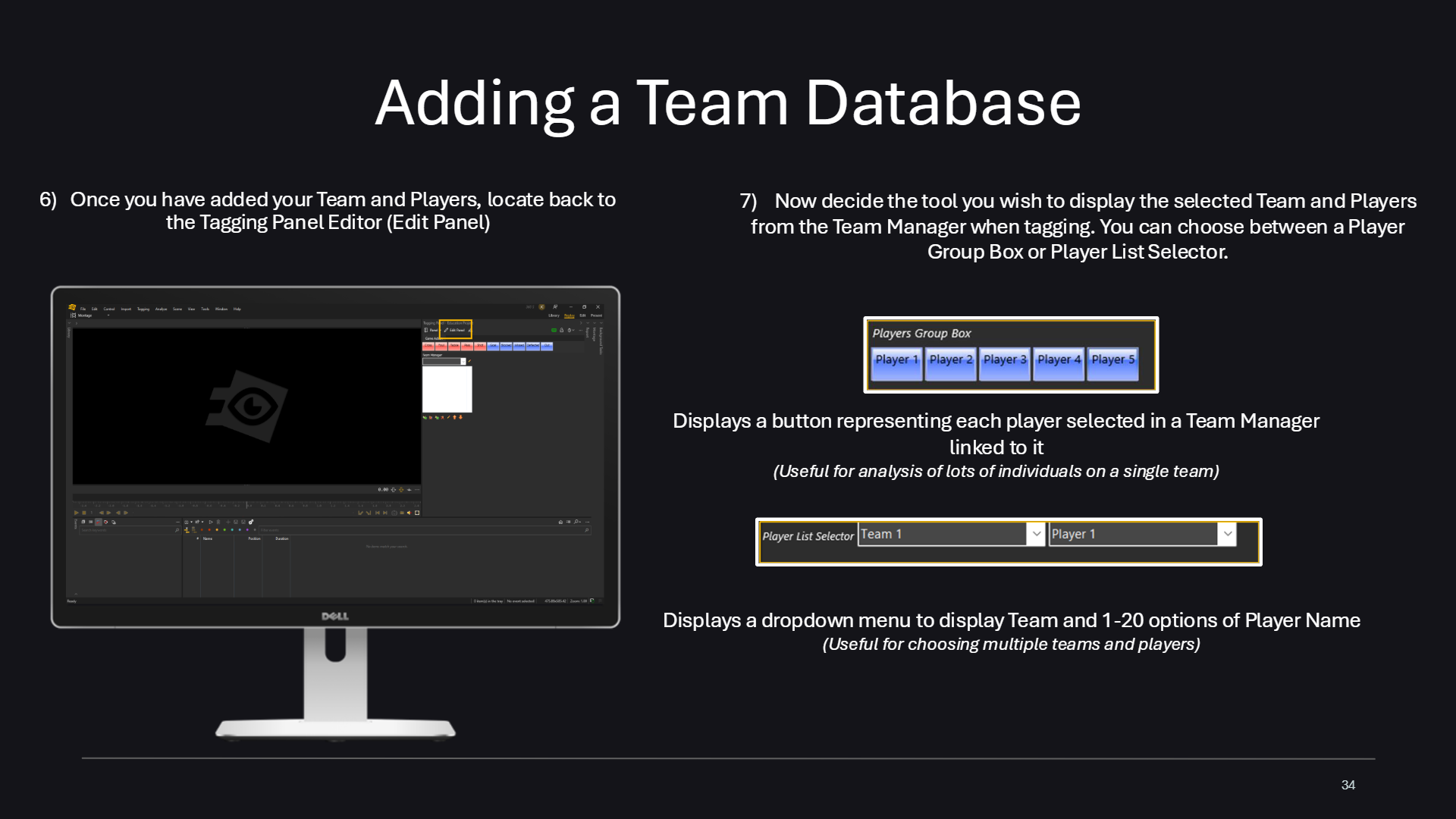
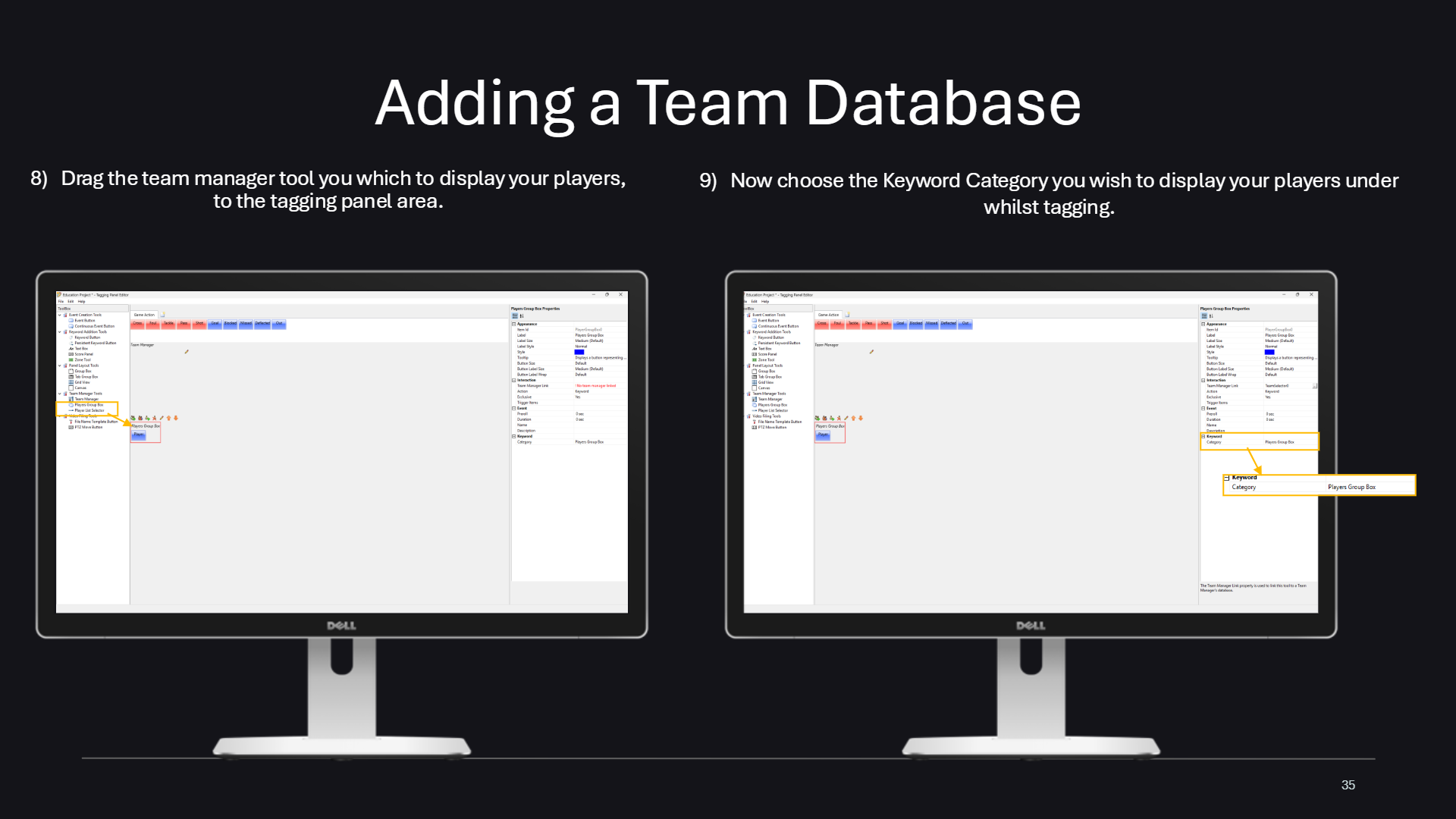
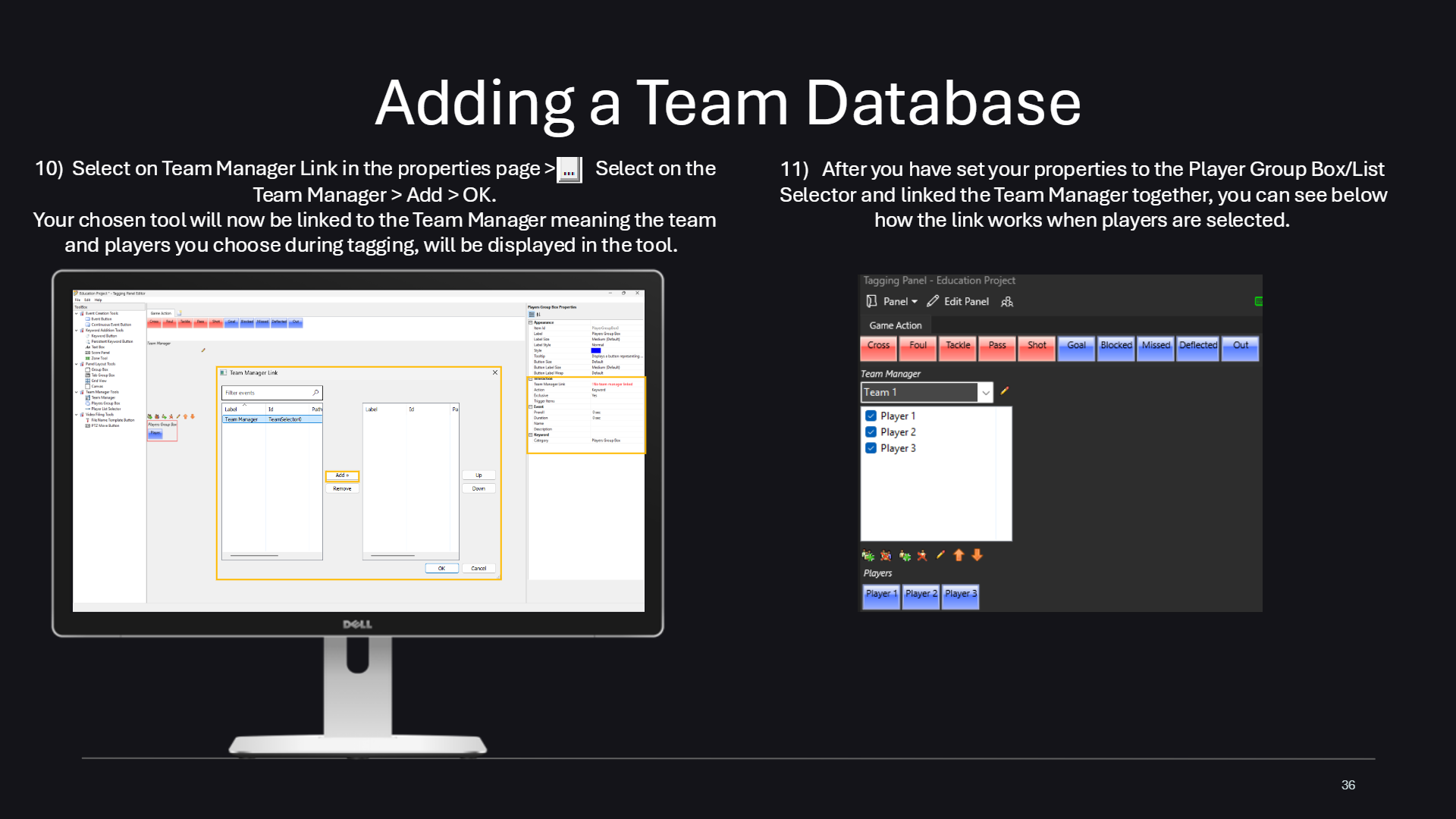
Adding a Team Database – titleStep 1: the Team Manager lets you use teams and players as buttons; drag the Team Manager tool into your panelStep 2: choose the Team Manager properties; example of a finished team database in a tagging panelSteps 3 and 4: save and close the Tagging Panel Editor, then open the Team ManagerSteps 5 and 6: use the icons under the Team Manager to add a team, then enter each team and its playersSteps 6 and 7: go back to the editor and choose the tool that will display the selected team and playersSteps 8 and 9: drag the team manager tool into the panel and choose the keyword category for your playersSteps 10 and 11: select Team Manager Link in the properties and finish setting up the player group